Please ensure Javascript is enabled for purposes of website accessibility
WHAT’S POSSIBLE
Templated and adhoc job creation
Scheduled job automation
Real-time progress tracking
Alerts & notifications
Centralised job history & records
PROBLEM 01

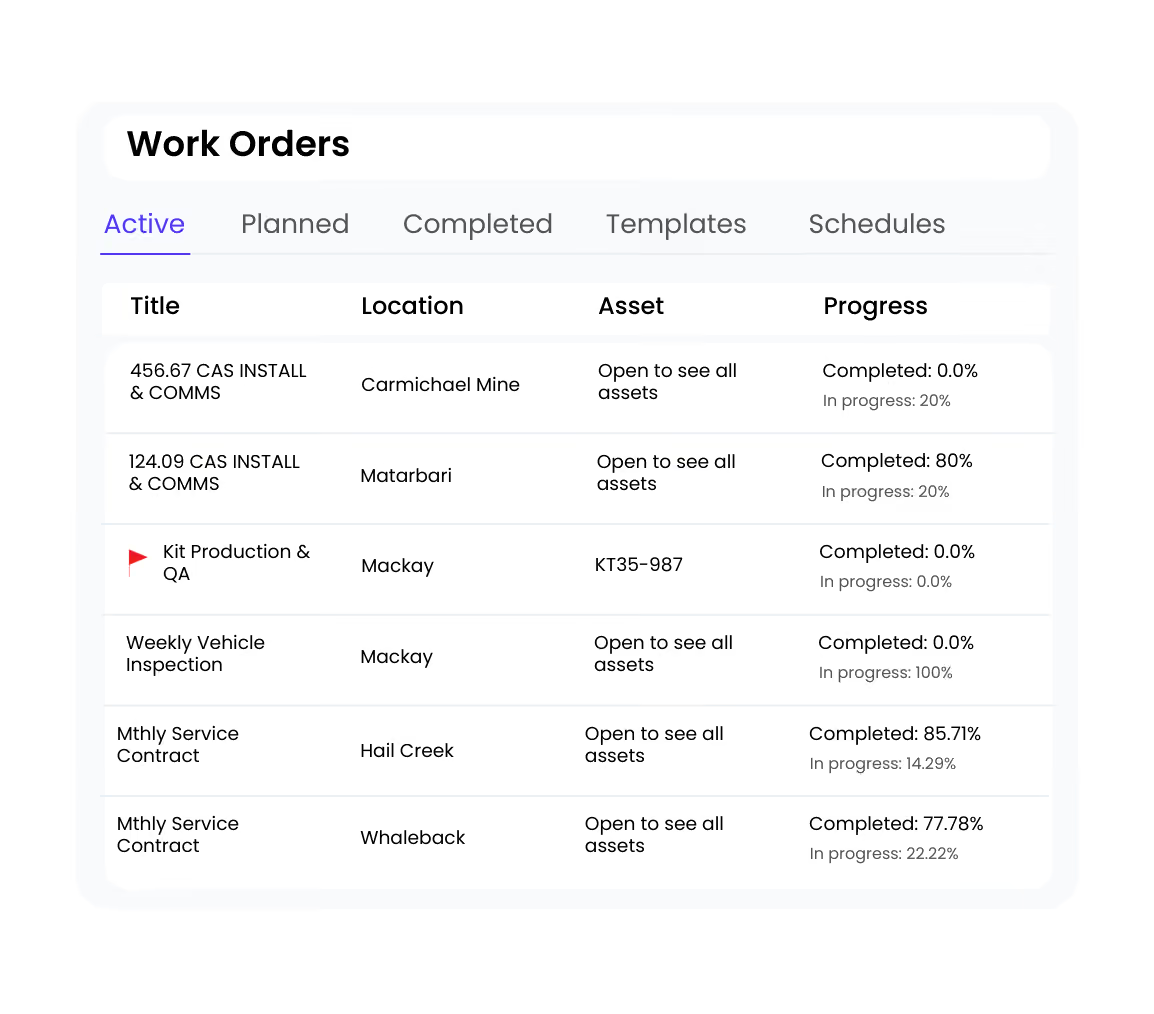
It’s hard to keep everything aligned

Jobs often involve multiple people, priorities, and dependencies. When work is tracked across different systems, spreadsheets, and messages, details get missed, priorities drift, and teams lose a shared view of what needs to happen next.
Work Orders fix this by:
  • Centralising all job details, updates, and ownership in one place
  • Making priorities, dependencies, and next steps clear for every job
  • Keeping teams aligned as work moves between people and stages
  • Providing a single source of truth as plans change and work progresses
Active Projects
12 ongoing
Building 4 HVAC Maintenance
Due Friday
Q1 Safety Inspection
In progress
Equipment Installation - Site 3
Next week
Annual Compliance Audit
2 weeks out
Smart Automations
8 active
Auto-assign by skill & location
Running
Send weekly compliance reports
Running
Flag overdue preventive maintenance
Running
Sync to QuickBooks
Paused
Problem 02

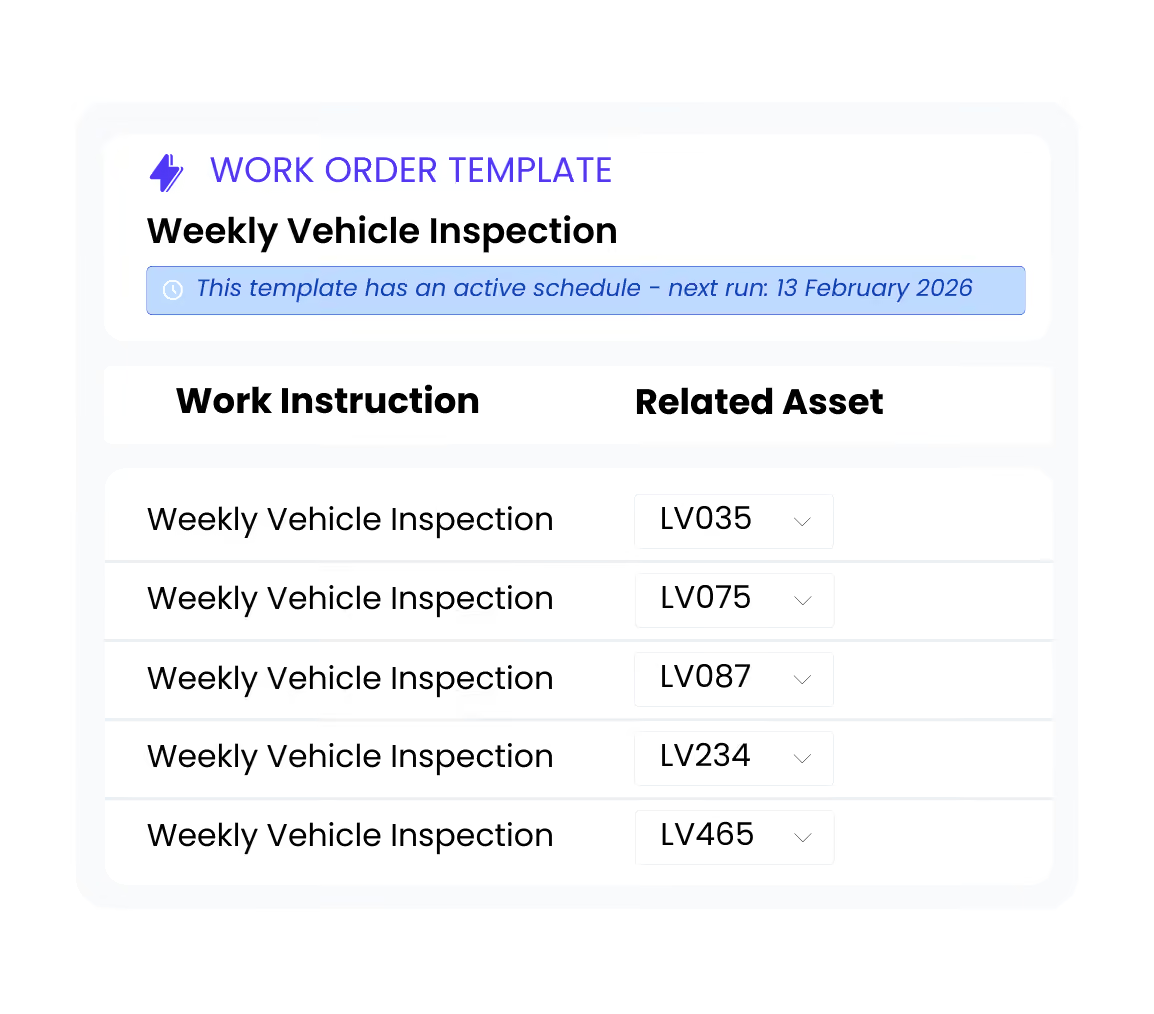
Repeat work is set up differently every time

Without a standard way to raise recurring jobs, setup depends on who creates them. Details change, steps are missed, and there’s no consistent baseline for how repeat work should run.
Work Orders fix this by:
  •  Using templates to standardise how repeat jobs are created
  • Triggering scheduled work automatically on a defined cadence
  • Automatically assigning jobs to the right customer and asset
  • Making repeat work predictable, easier to plan, and easier to track
Problem 03

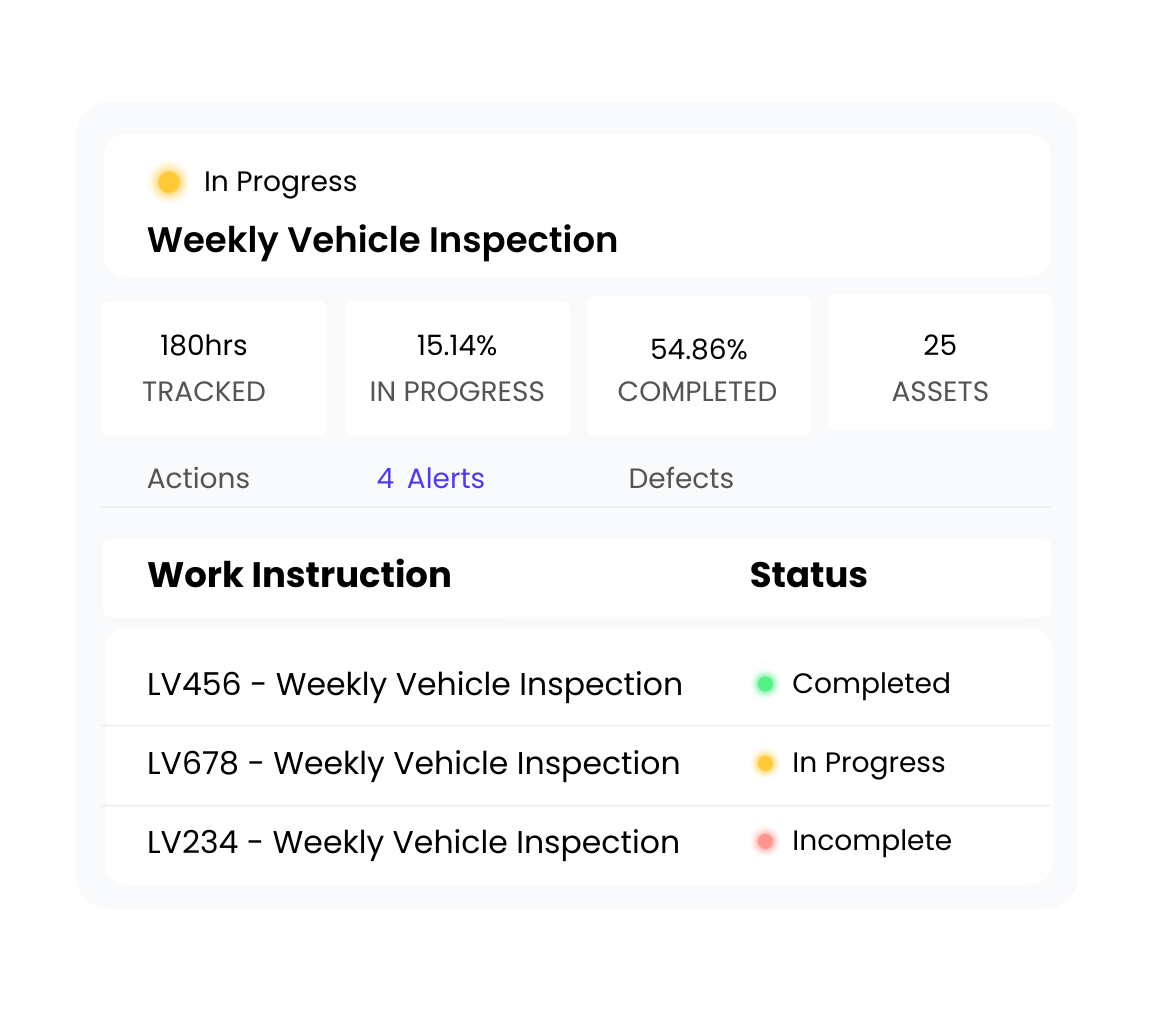
Progress is hard to track

After work starts, visibility drops off. Jobs sit in progress for hours or days with no clear indication of what’s been done or what’s still outstanding. Progress only becomes clear once someone checks in or the job is closed.
Work Orders fix this by:
  • Showing progress clearly as jobs move from not started, to in progress, to complete
  • Allowing supervisors to review in-progress work and see what’s been done and what’s outstanding
  • Triggering alerts and notifications so follow-up happens proactively, not after the fact
  • Giving teams a live, shared view across all active jobs
Team Activity
Live
Mike completed site inspection
2m ago
Sarah updated equipment status
8m ago
New work order assigned to you
15m ago
Photos added to job #4521
1hr ago
Smart Automations
8 active
Auto-assign by skill & location
Running
Send weekly compliance reports
Running
Flag overdue preventive maintenance
Running
Sync to QuickBooks
Paused
Problem 04

There’s no single place to return to after the job

Once work is finished, job information is spread across notes, photos, and systems. Closing out the job, reporting on what was done, or invoicing means pulling details together manually. When questions come up later - warranty, quality, or customer concerns, there’s no clear source of truth to return to.
Work Orders fix this by:
  • Bringing all job details, updates, and records into one place
  • Linking work to the right customer, asset, and job from the start
  • Automatically generating a complete record of work for close-out, reporting, and invoicing
  • Keeping a clear job history teams can return to when issues arise

Ready to work without the chaos?

Join thousands of teams delivering work faster, safer and with complete visibility.
Book a demo