Please ensure Javascript is enabled for purposes of website accessibility
WHAT’S POSSIBLE
Visual guidance at each step
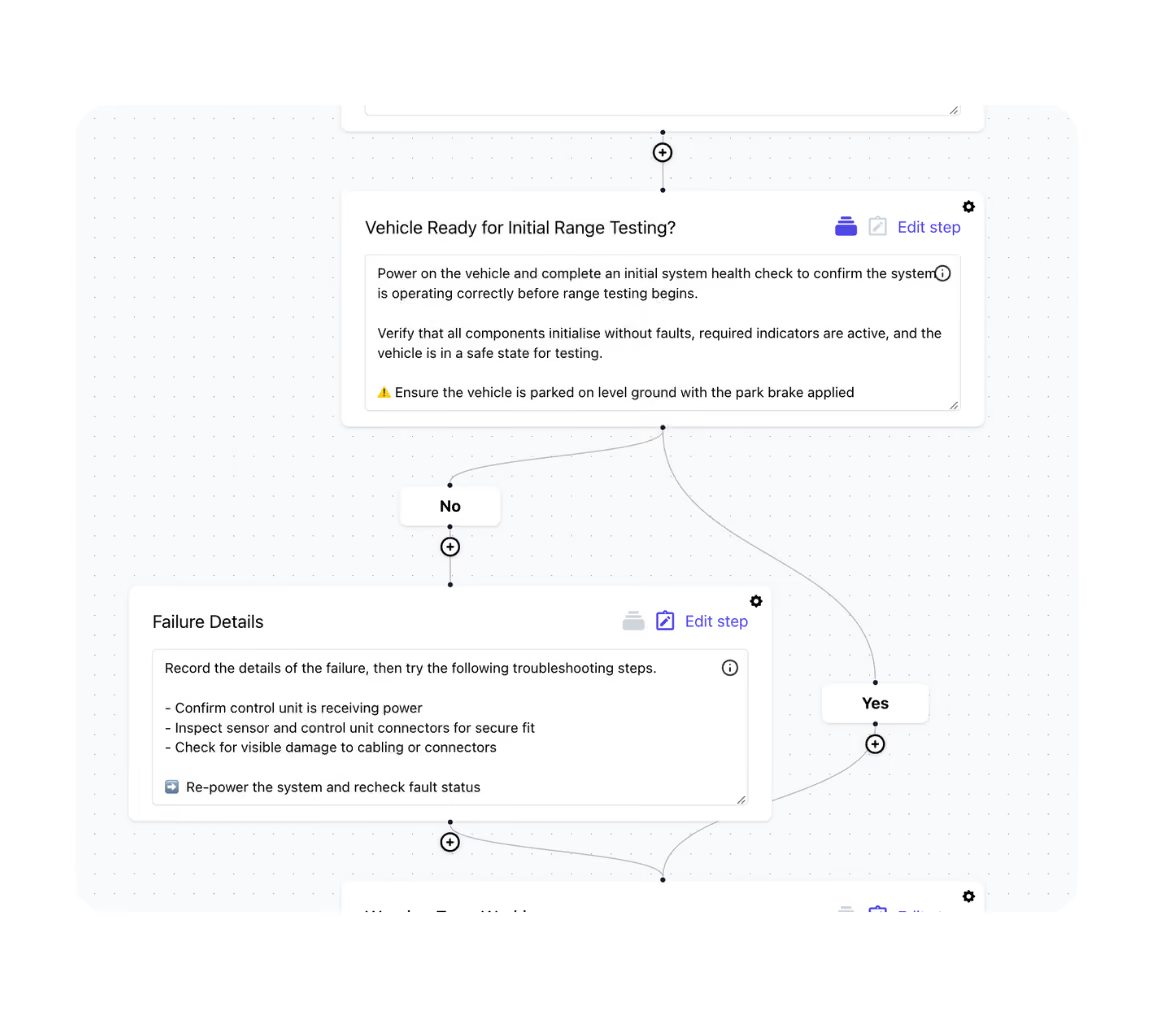
Conditional steps & decision pathways
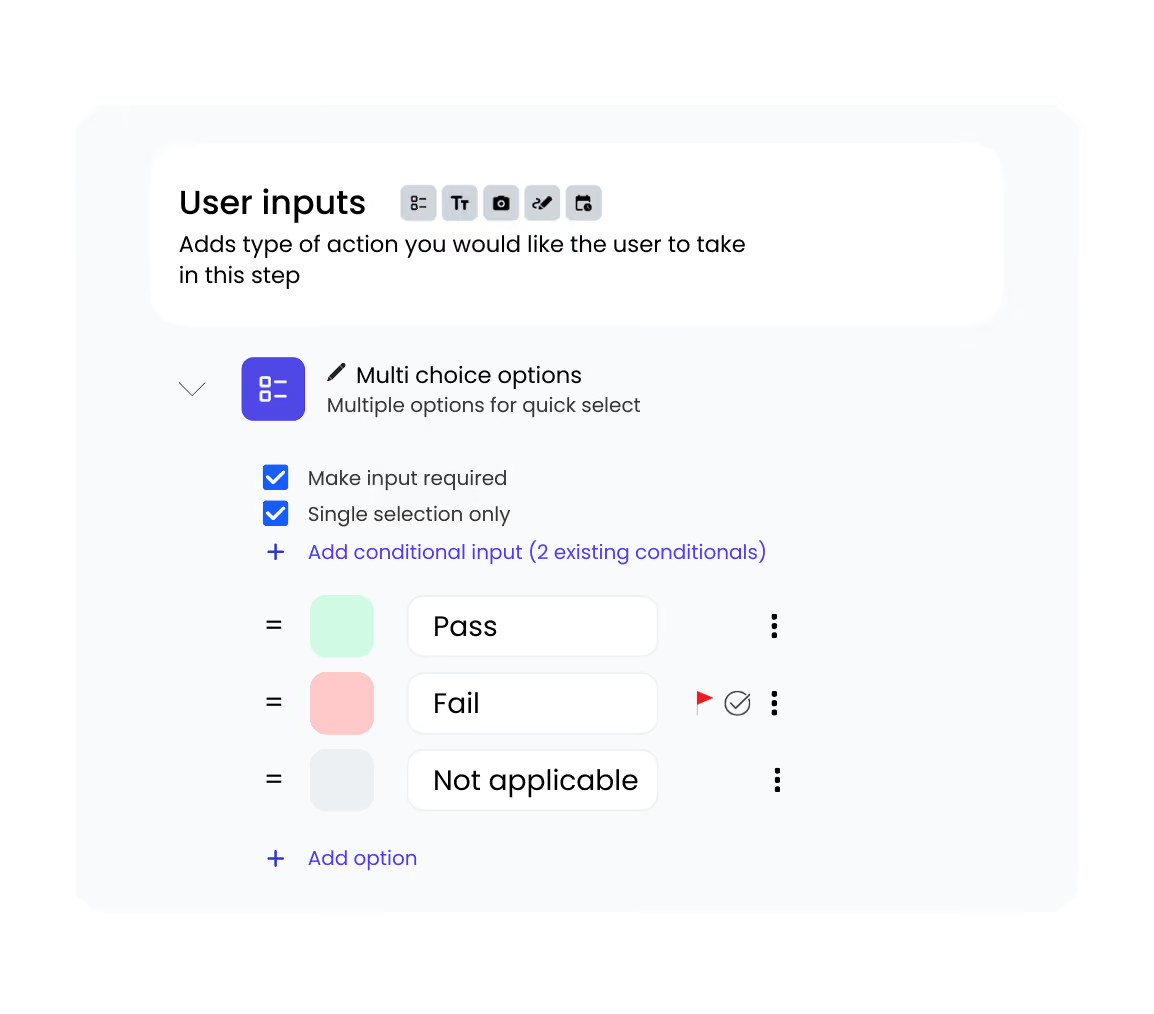
Required inputs & validations
Automated actions & real time alerts
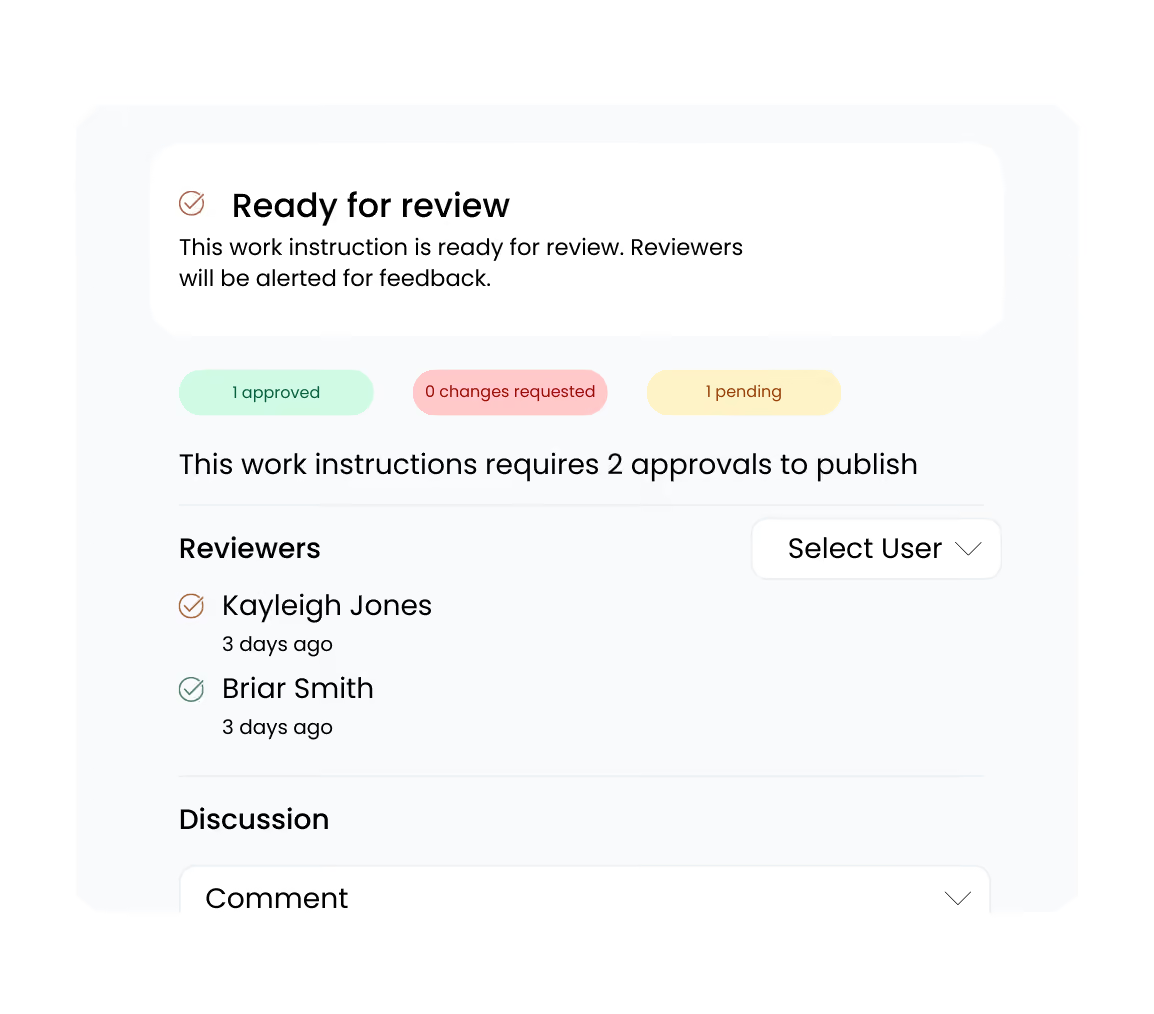
Review and approval workflows
Problem 01

Everyone does the work differently

Most procedures exist - they’re just not where the work happens. They sit in folders, shared drives, or binders, while technicians rely on memory and experience. The result is inconsistent execution, missed steps, and growing risk over time.
Guided work instructions fix this by:
  • Putting clear, step-by-step guidance in front of technicians as they do the job
  • Showing how work should be done with photos and videos, not just text
  • Enforcing critical checks before work can move on
  • Standardising how work is done across people, shifts, and sites
Active Projects
12 ongoing
Building 4 HVAC Maintenance
Due Friday
Q1 Safety Inspection
In progress
Equipment Installation - Site 3
Next week
Annual Compliance Audit
2 weeks out
Smart Automations
8 active
Auto-assign by skill & location
Running
Send weekly compliance reports
Running
Flag overdue preventive maintenance
Running
Sync to QuickBooks
Paused
Problem 02

No one’s really sure how the job was done

Paper or static sign-offs show a job was closed - not how it was completed. Photos are missing. Measurements are written down separately. Notes lack context. And when questions come up, there’s no clear way to verify the work.
Guided work instructions fix this by:
  • Capturing photos, measurements, and notes as work is completed
  • Validating inputs in real time to ensure the right information is captured
  • Creating time-stamped records tied to the job, asset, and technician
  • Making proof instantly available, without chasing paperwork
Problem 03

Changes don’t reach the work

When procedures change, updates get stuck in folders, emails, or binders. Teams keep working from old instructions, and there’s no easy way to flag what’s unclear, outdated, or not working in practice. Over time, procedures drift further from how the work is really done.
Guided work instructions fix this by:
  • Maintaining a single, controlled version of each instruction
  • Rolling updates out instantly to where the work is done
  • Allowing teams to provide feedback directly on steps as they work
  • Making sure changes are reviewed and approved before teams use them
Team Activity
Live
Mike completed site inspection
2m ago
Sarah updated equipment status
8m ago
New work order assigned to you
15m ago
Photos added to job #4521
1hr ago
Smart Automations
8 active
Auto-assign by skill & location
Running
Send weekly compliance reports
Running
Flag overdue preventive maintenance
Running
Sync to QuickBooks
Paused
Problem 04

Closing jobs takes too long

When work is recorded on paper or across fragmented systems, details are scattered and hard to pull together. Notes are incomplete. Photos are hard to match to the job. Issues are harder to identify and rectify, delaying sign-off, reporting, and getting paid.
Guided work instructions fix this by:
  • Capturing measurements, photos and required inputs as part of doing the job
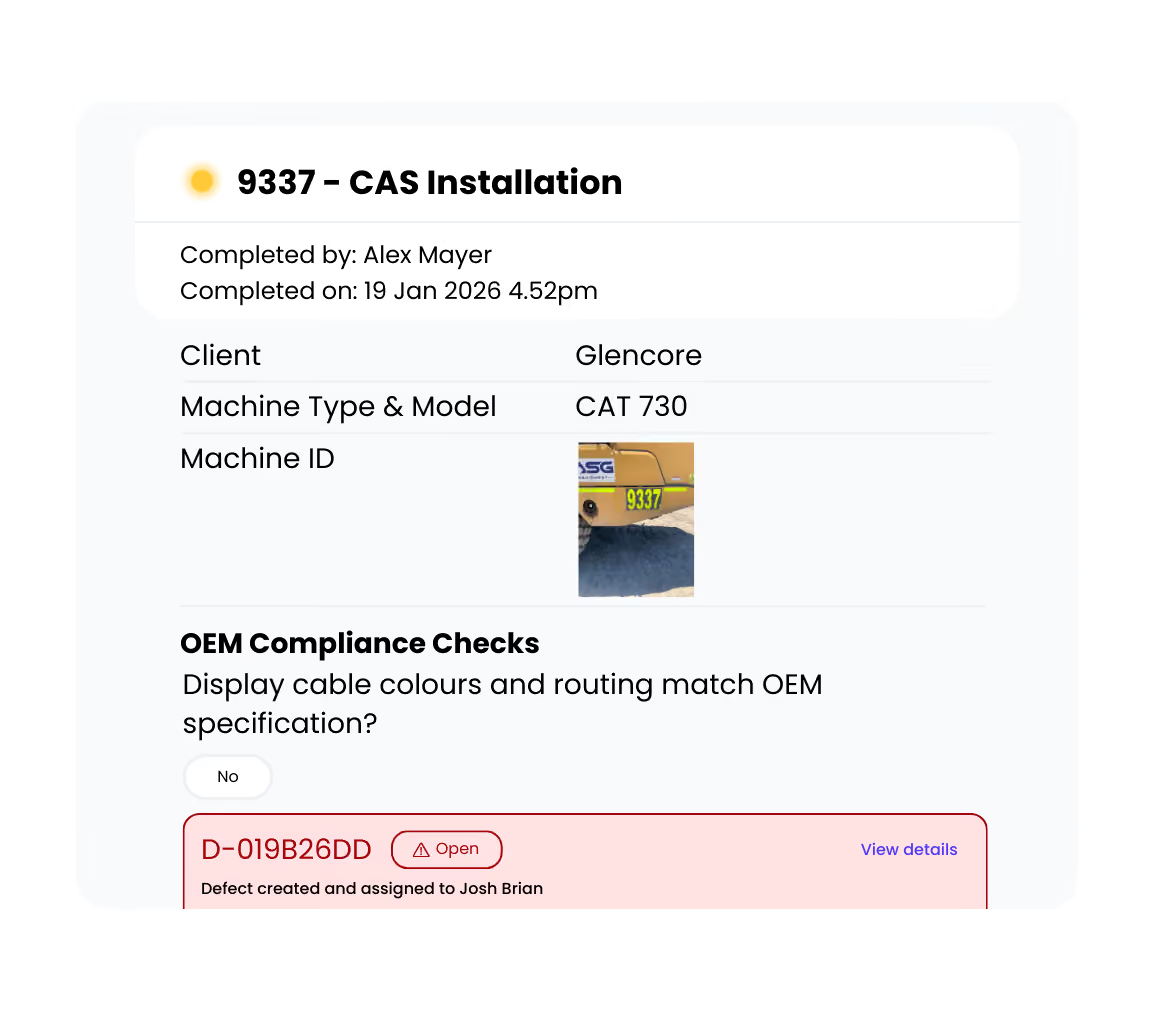
  • Identifying defects early, while there’s still time to rectify them
  • Creating a complete record of work automatically - without manual admin
  • Linking records directly to the job, asset, and technician

Ready to work without the chaos?

Join thousands of teams delivering work faster, safer and with complete visibility.
Book a demo